
In July 2022, Google retired the standalone Google My Business app, as it had announced in November 2021 when it renamed Google My Business to Google Business Profile. Businesses were directed to manage their profiles directly in Google Search and the Google Maps app, with the web tool renamed Business Profile Manager for larger, multi-location businesses. For chiropractic practices, it meant confirming ownership, learning the new management paths and keeping messages and reviews monitored.
For most chiropractic practices, the Google Business Profile is the most visible thing they own online. It shows hours, location, reviews, photos and a phone number in the places where patients search for back pain help nearby. Managing it well is a basic part of running a practice.
For years, many practice owners and office managers managed that profile through the Google My Business app on their phones. In July 2022, the app stopped working. Google had announced the change months earlier, but many practices only noticed when the app told them it was no longer available.
This retrospective covers what changed in 2022 and what it means for a chiropractic practice today. For related chiropractic chapters, see the rise of TikTok and Instagram as search tools in 2022, and for broader local search context, Google’s multisearch near me and the core updates of 2022.
What actually happened in 2022
The announcement. In November 2021, Google announced that Google My Business was being renamed Google Business Profile, that it recommended small businesses manage their profiles directly on Search or Maps and that it would retire the Google My Business app in 2022.
Business Profile Manager. In the same announcement, Google said the web experience would transition to primarily support larger businesses with multiple locations and be renamed Business Profile Manager.
The retirement. On July 13, 2022, Search Engine Land reported that the app no longer allowed businesses to manage their profiles, communicate with customers or see insights, and displayed a message saying it was no longer available.
Messages. Search Engine Land reported that Google emailed businesses saying the Google Maps app would be the best place for replying to customer messages on mobile, and that businesses could also respond from their profile on Google Search.
Management today. Google’s help center explains that verified profiles can be edited directly on Google Search or in the Google Maps app while signed in to the linked Google account.
Why it mattered for chiropractic practices
Many chiropractic practices are small teams. The owner, an office manager or a front desk lead often handles the Google profile alongside everything else. When the app they relied on stopped working, some lost their habit of checking reviews and messages, and some discovered they could not find the profile because it was linked to a former employee’s account or an old agency login.
The change also exposed a common weakness: practices that did not know who owned their profile. Ownership and manager access determine who can edit information, respond to reviews and recover the profile if something goes wrong. Practices that had never checked found the transition a useful prompt.
Finally, it changed where notifications arrived. Messages and review alerts that once came through the app now came through Google Maps or email. If no one turned those notifications on, patient messages could sit unanswered.
What typical agencies did
Some agencies held primary ownership of client profiles in their own accounts, which made the transition invisible to practices but left them without control. When practices later changed agencies, recovering ownership became a problem.
Others did nothing, assuming practices would figure out the new tools on their own. Messages and reviews went unanswered for weeks in some cases.
The careful approach confirmed that the practice owned its profile, gave the agency manager access, showed staff how to manage the profile in Search and Maps and set up notifications so nothing was missed.
What it means for a chiropractic practice today
Google’s tools have continued to change since 2022. These principles still apply.
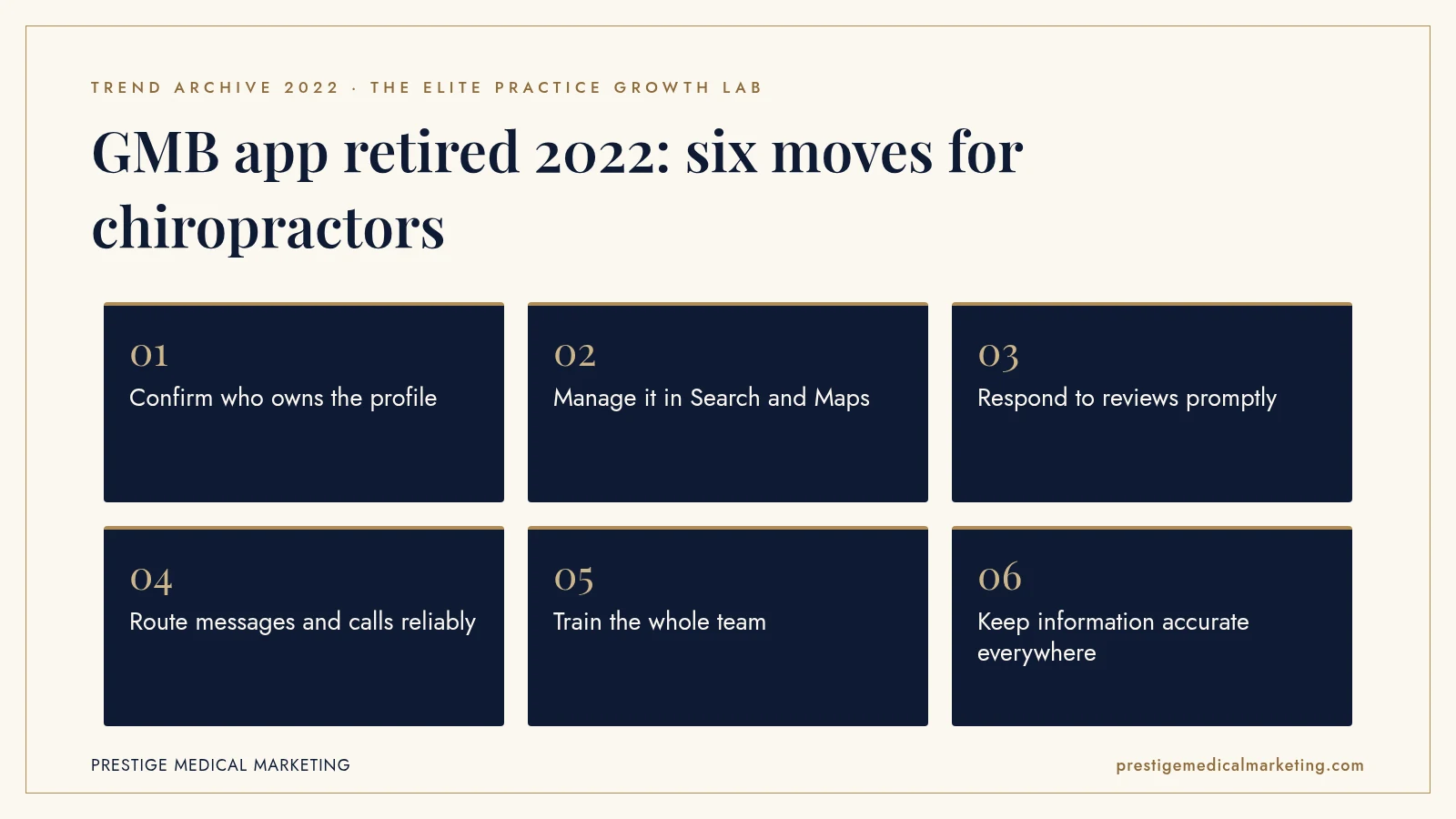
1. Own your profile
Make sure the practice, not an individual or agency, holds primary ownership.
2. Audit manager access
Review who has access and remove former employees and vendors.
3. Know the tools
Teach staff to edit and respond through Search and the Maps app.
4. Turn on notifications
Route review and message alerts to someone responsible for responding.
5. Keep information accurate
Check hours, holiday hours, phone, website and services regularly.
6. Respond to reviews
Reply professionally and without revealing patient information.

Ownership is the foundation
A Google Business Profile is a business asset. It holds years of reviews, photos and patient trust. Yet many practices do not know which Google account owns it. Sometimes it was set up by a former office manager using a personal email, or by a marketing vendor who kept ownership.
The safest structure is for the practice to hold primary ownership in a business Google account that does not depend on any one person, with managers added as needed. Agencies and staff can be managers with the access they need, and access can be removed when roles change. Practices should document which account owns the profile and keep that information with other important business records.
Checking takes a few minutes, and it is worth doing at least once a year and whenever staff or vendors change. Signed in to the right account, the practice owner can open the profile on Google Search or Maps and review the people and access settings.
Managing the profile in Search and Maps
After 2022, managing a profile became something done directly in Google. Google’s help center explains that a signed-in owner or manager can find their profile on Search and select edit options, or open the Google Maps app and use the Business tab. Edits to hours, phone number, website, photos and description happen there.
For a busy chiropractic practice, the practical question is who does this and how often. A simple weekly routine, checking new reviews, messages and any suggested edits, and a monthly check of hours and information, keeps the profile accurate without much effort. Holiday hours deserve special attention, since patients often check the profile before visiting.
Multi-location chiropractic groups may still use the web-based Business Profile Manager, which Google said would primarily support businesses with multiple locations.
Reviews and responses
Reviews are central to how patients choose a chiropractor. Responding shows that the practice is attentive. Responses should be professional and should never confirm that a reviewer is a patient or reveal any details about their care, because public replies can expose health information.
A short, warm thank you for positive reviews and a calm invitation to contact the office for negative ones are usually enough. The same notifications that alert the practice to new reviews should reach whoever is responsible for responding, so reviews are answered within a few days.
Practices should also avoid tactics Google and the FTC prohibit, such as offering incentives for positive reviews, selectively asking only happy patients in ways that suppress negative feedback or posting reviews on behalf of patients.
Messages, calls and notifications
A Google profile is often the first place a patient tries to reach a practice. They tap call, request directions or, where available, send a message. Each of those actions needs a reliable response. Calls from the profile should reach a person or a well-managed voicemail. Messages, where enabled, should be answered promptly or turned off if no one will monitor them.
Google’s messaging features have changed since 2022, so practices should check what is currently available. The principle is constant: do not offer a contact channel that no one watches. An unanswered message is worse than no message option at all, because it signals that the practice is inattentive.
Tracking matters too. Many practices use a call tracking number on the profile with the main number listed as an additional phone. That setup helps measure how many patients call from Google, as long as the numbers are configured correctly and consistently.
Training the whole team
When the app disappeared, knowledge about managing the profile often sat with one person. If that person was on vacation or left the practice, no one else knew how to update holiday hours or answer a review. A practice is more resilient when at least two people know how to manage the profile.
A one-page internal guide helps: which account owns the profile, how to open it in Search and the Maps app, who responds to reviews and messages, how often information is checked and who to contact if access is lost. Reviewing that guide once a year, and whenever staff change, keeps it accurate.
New team members can be added as managers rather than sharing a single login, which keeps a clear record of who has access and makes it easy to remove access when someone leaves.
Accurate information everywhere
The profile is one of many places where a practice’s name, address, phone number and hours appear. Directories, insurance listings, social profiles and the website all carry the same information. When they disagree, patients get confused and search engines have less confidence in which details are correct.
The 2022 transition was a good moment to audit those listings, and it is still a worthwhile annual task. Correcting outdated phone numbers, old addresses and incorrect hours across the web helps patients and supports local visibility.
Photos and the practice story
Photos on the profile show patients what to expect: the entrance, the reception area, treatment rooms and the team. They make the practice feel familiar before the first visit. Recent, accurate photos are more useful than polished images that no longer match the space.
Practices can add photos through Search or the Maps app. Adding a few new images each quarter, such as a new treatment room or a team photo, keeps the profile current. Photos should never show patients without written consent, and should avoid anything that could reveal patient information, such as screens or paperwork.
The business description deserves the same care. Google’s guidelines allow up to 750 characters, and the description should explain what the practice offers and what makes it distinct, focusing on the business rather than promotions or prices.
What 2022 does not tell us
The 2022 retirement changed where profiles were managed. It did not change how Google ranks local results or how much weight it gives reviews, photos or other signals. Google’s management tools and features have continued to change since, and some features available in 2022 are no longer offered. Practices should check current help center guidance rather than rely on 2022 instructions.
The premium practice advantage
A premium chiropractic practice treats its Google profile as a core business asset, owned, accurate and attended to every week. See our chiropractic services, our guide to chiropractic marketing, our approach to call handling, our full services, who we help and how we approach Google Maps and AI search visibility. Our team works from Austin with practices nationwide.
The bottom line
In July 2022, Google retired the Google My Business app and moved profile management into Search and Maps. For chiropractic practices, the lesson was to own the profile, audit access, turn on notifications and keep information accurate.
Check if your market is open. We take one practice per specialty per market. Request a market check or call (716) 400-0084.
Frequently asked questions
When was the Google My Business app retired?
Search Engine Land reported on July 13, 2022, that the app no longer allowed businesses to manage their profiles, following Google's announcement that it would retire the app in 2022.
Why did Google retire it?
In November 2021, Google said it recommended businesses manage their profiles directly on Search or Maps, renamed the product Google Business Profile and said it would retire the app in 2022.
Where do practices manage their profile now?
Google's help center explains that verified profiles can be edited directly on Google Search or in the Google Maps app, while signed in to the linked Google account.
What happened to the web version?
Google said the web experience would primarily support larger businesses with multiple locations and be renamed Business Profile Manager.
What about customer messages?
Google told businesses in 2022 that the Google Maps app would be the best place to reply to customer messages on mobile. Messaging features have changed since, so check current options.
What should a chiropractic practice check today?
Who owns and manages the profile, that information is accurate, that reviews are answered and that notifications reach someone responsible.