
As of July 31, 2024, Google removed the chat and call history features from Google Business Profile. Businesses could no longer chat with customers through their profile or see call history there, and past records could be downloaded through Google Takeout until August 30, 2024. Calls from the profile continued, so practices needed their own systems to capture, answer and track patient inquiries.
For a few years, some practices treated their Google Business Profile as a front desk. Patients could tap a chat button and send a message. Owners could open the profile and see a log of calls that came in from Google. It was free, built in and convenient.
On July 31, 2024, Google turned both features off. Practices that had quietly come to depend on them lost a channel and a record overnight, unless they had downloaded their history in time.
This retrospective covers what Google changed, why it mattered more than it looked, and how a practice should capture and track patient inquiries today.
What actually happened in 2024
The change. Google’s Business Profile help center states that as of July 31, 2024, the chat and call history features are no longer available in Business Profile. Businesses can no longer interact with customers through profile chat or find customer call history in their profile.
What stayed. Google said customers could still find and contact businesses through Search and Maps, and that businesses would continue to receive calls from their profile and see engagement metrics such as website clicks and direction requests.
The deadline for records. Past chats and call history could be downloaded through Google Takeout until August 30, 2024. After that, the records were gone.
The alternatives. Google suggested moving existing chat conversations to other channels and noted that, for eligible accounts, customers can contact a business from its profile through text messages or WhatsApp. It also recommended adding a phone number to any profile that did not show one.
The timeline. As Search Engine Land reported, Google emailed businesses ahead of the change. From July 15, 2024, searchers could no longer start new chats from Maps or Search, and on July 31 chat ended completely and call history disappeared from profiles.
The call button. Google’s separate call history help page says the call button on affected profiles was updated to use the business’s own supplied phone number. Google’s help center also notes that the chat FAQ feature and the ability for customers to request quotes through the profile ended with the change.
Why it mattered for practices
Profile chat was popular with some practices because it captured patients who did not want to call. A prospective patient browsing at night could ask about pricing, availability or whether a service was offered, and the practice could answer in the morning. When chat disappeared, those patients needed another path, and many profiles did not have one ready.
Call history mattered for a different reason. For some owners, it was the only place they could see how many calls Google was sending and how many went unanswered. Without it, many practices lost their only view of a key source of new patients. If they had never set up their own call tracking, they were suddenly blind.
The bigger lesson was dependency. Both features were free, convenient and entirely controlled by Google. Google decided to remove them, set the deadline and determined what happened to the data. Practices that built their intake around those features learned how little control they had.
What typical agencies did
Many agencies did not mention the change to clients at all. The chat button simply disappeared from profiles, and nobody downloaded the history. Some practices only realized months later that they had no record of how many calls Google had sent during the period they most wanted to analyze.
Agencies that relied on the profile’s call history for their monthly reports had a different problem. Their reports lost a metric, and some replaced it with vaguer numbers like profile views or interactions. Those numbers can be useful, but they do not tell a practice how many patients actually called, how many got through and how many booked.
Few agencies used the moment to do what should have been done from the start: set up practice-owned call tracking and a reliable process for answering every inquiry.
What it means for a practice today
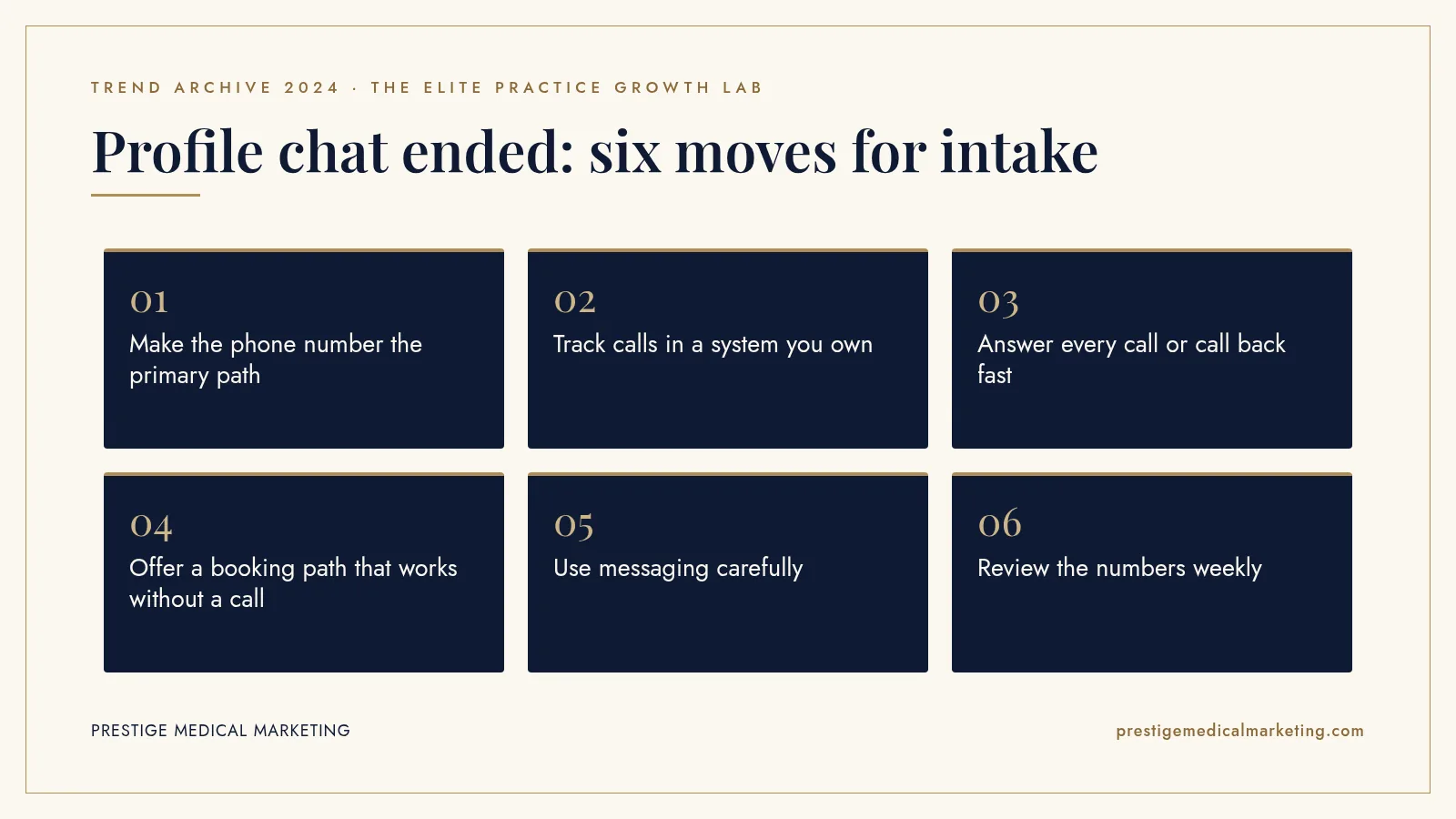
The fix is to own the full path from a patient’s first tap to a booked appointment. Here is how we approach it.
1. Make the phone number the primary path
Your profile should show the correct main number, matching your website and listings. Consistent contact details help patients and help search systems trust your information.
2. Track calls in a system you own
Use call tracking and a phone system that log every call, including missed calls and after-hours calls, with the source where possible. Your data should not depend on a platform’s feature list.
3. Answer every call or call back fast
Missed calls are missed patients. Set clear rules for answering, overflow and callbacks. See our breakdown of what missed calls cost medical practices.
4. Offer a booking path that works without a call
Patients who would have used chat often prefer to book online. A clear booking link on your profile and website captures them. Our booking engine approach is built for this.
5. Use messaging carefully
If your profile is eligible for messaging options, decide who answers, how fast, and what can and cannot be discussed. Keep clinical details out of ordinary chat and text.
6. Review the numbers weekly
Calls, missed calls, callbacks, bookings and no-shows by source. A short weekly review catches problems before they cost a month of patients.

The case for owning your patient conversations
Every platform feature is temporary. Google, Meta and other platforms add and remove features based on their own priorities. A practice that treats a platform’s built-in tools as its intake system is renting its front desk.
Owning your patient conversations means the phone system, booking tool, form handling and records belong to your practice. Platforms send patients to you. Your systems capture them. When a platform changes, your intake keeps working and your history stays intact.
This matters for marketing decisions too. Without your own data, you cannot tell whether your Google profile, your website, your ads or word of mouth is driving bookings. With it, you can invest confidently. We cover how this connects in call handling and lead leakage.
What patients expect when they reach out
Patients who found you on Google have usually compared several practices. When they reach out, they expect a fast, helpful response. A call that goes to voicemail, a message that sits unanswered until tomorrow afternoon, or a booking link that leads to a confusing form can send them to the next practice on the list.
The practices that adapted well in 2024 did not just replace a chat button. They looked at the whole experience of reaching the practice: how quickly calls are answered, what happens after hours, how easy it is to book online, and how fast someone follows up on a form. That experience is what turns a profile view into a patient.
After-hours inquiries deserve special attention. Many patients research in the evening. A clear option to book online, request a callback or leave a message that is returned first thing in the morning keeps those patients from moving on.
A checklist after any platform change
The 2024 change will not be the last. The next time a platform announces it is removing a feature, a quick checklist helps.
Export the data first. If records are available for download, get them before the deadline and store them in practice systems.
Identify what the feature did for patients. Was it a way to contact you, a way to book, or a way to learn something? Make sure that need is met another way.
Identify what it did for your reporting. If you relied on it for a metric, replace that metric with data you own.
Update your profile and website. Remove references to the old feature and point patients to the new path.
Tell your team. Front desk staff should know how patients will reach the practice after the change.
Profile settings worth checking today
A few minutes in your Business Profile can prevent lost patients. Confirm that the phone number shown is the one your team actually answers and that it matches your website. Confirm that hours, including holiday hours, are accurate, so patients are not calling a closed office. Add or verify an appointment link that leads directly to booking rather than to your home page.
Check which contact options are enabled, and make sure someone is responsible for each one. A messaging option that nobody monitors is worse than no messaging option, because it tells patients you are reachable when you are not. Finally, look at the performance metrics Google still provides, such as calls, website clicks and direction requests, and compare them with your own call and booking logs each month. The two views together give a far clearer picture than either alone.
How the change looked from the front desk
For front desk teams, the change showed up in small ways. A patient mentioned that they had tried to message the practice on Google and could not find the button. A manager went to pull the monthly call count from the profile and found the report gone. A coordinator who used to answer chats first thing each morning suddenly had a quieter queue and no explanation for where those inquiries went.
Those patients did not stop needing care. Some called instead. Some filled out a website form. Some simply chose a different practice that was easier to reach. Without owned tracking, most practices could not tell which of those happened, which is exactly why the lesson of 2024 is about measurement as much as messaging.
The practices that handled it smoothly had already trained their teams to ask every new patient how they found the practice and to record the answer. That simple habit, paired with call logs and booking data, kept the picture clear even as a Google feature disappeared.
What 2024 does not tell us
Google did not publish how many businesses used profile chat or call history, or how many lost records after the download deadline. We do not have reliable data on how the change affected practice bookings, and messaging options available to profiles have continued to vary by account and region. What 2024 does show is that features a practice does not control can be removed with a few weeks’ notice.
The premium practice advantage
A premium practice treats every inquiry like a high-value opportunity, because it is. Fast answers, easy booking and owned data are part of the experience patients pay for. When a platform feature disappears, a practice built that way barely notices.
That is how we approach intake: profiles that send patients to systems you own, with Google Maps and AI search visibility feeding phone, booking and follow-up you can measure. See our services and who we help. Our team works from Austin with practices nationwide.
The bottom line
On July 31, 2024, Google removed Business Profile chat and call history. Practices that relied on them lost a channel and their records. The lasting lesson is to let platforms send you patients while your own systems answer, book and track them.
Check if your market is open. We take one practice per specialty per market. Request a market check or call (716) 400-0084.
Put this playbook to work: see how it applies to an AI receptionist for your practice.
Frequently asked questions
What did Google remove from Business Profile in 2024?
Google's help center says that as of July 31, 2024, the chat and call history features were no longer available in Business Profile. Businesses could no longer interact with customers through profile chat or find customer call history in their profile.
Could patients still call from the profile?
Yes. Google said customers could still find and contact businesses through Search and Maps, and businesses would continue to receive calls from their Business Profile. Google recommended adding a phone number if a profile did not show one.
What happened to past chats and call records?
Google said records of past Business Profile chats and call history could be downloaded through Google Takeout until August 30, 2024. After that, they were no longer available.
Is there still a way for patients to message a practice from Google?
Google's help page says that for eligible accounts, customers can contact a business from its profile through text messages or WhatsApp. Eligibility and availability vary, so check your profile settings.
How should a practice track calls from Google now?
Use call tracking you control, such as a tracking number on your website and an approach for your profile that keeps your main number consistent, combined with a phone system that logs every call, missed call and outcome. Review those logs weekly.
Does texting patients raise privacy issues?
It can. Keep clinical details out of ordinary text and chat channels, use compliant tools for anything involving protected health information, and get qualified advice on what your practice may send by text.