
In October 2023, Google and Yahoo announced new requirements for bulk email senders, and enforcement began in February 2024. Google's guidelines say senders of more than 5,000 messages a day to Gmail accounts must authenticate with SPF, DKIM and DMARC, offer one-click unsubscribe for marketing messages, honor unsubscribes promptly and keep spam complaint rates below 0.3%. For practices, it meant fixing email authentication and list hygiene so newsletters, offers and reminders kept reaching patients.
Email is one of the most valuable channels a practice owns. Newsletters keep past patients engaged, seasonal offers fill the schedule and reminders reduce no-shows. Unlike social media, a practice’s email list does not depend on an algorithm, as long as messages actually reach the inbox.
In 2024, reaching the inbox got harder for senders who had ignored the technical basics. Google and Yahoo, which together handle a huge share of consumer email, began enforcing new requirements for bulk senders. Messages from domains without proper authentication, without easy unsubscribe options or with high complaint rates were more likely to be filtered or rejected.
This retrospective covers what changed, why it mattered for practices and how to keep patient email reliable today. For the wider context, see our notes on predictable growth systems.
What actually happened in 2024
The announcement. In October 2023, Google announced new requirements for senders to Gmail, and Yahoo announced similar requirements. Both said enforcement would begin in early 2024.
Authentication. Google’s email sender guidelines say all senders must set up SPF or DKIM. Bulk senders, defined as those sending close to or more than 5,000 messages a day to personal Gmail accounts, must set up SPF, DKIM and DMARC, with the visible From domain aligned with SPF or DKIM.
Unsubscribes. Bulk senders must support one-click unsubscribe for marketing and subscribed messages and include a clearly visible unsubscribe link. Google set June 1, 2024 as the deadline for full one-click unsubscribe compliance, and said unsubscribe requests should be processed within two days.
Spam rates. Google said senders should keep spam complaint rates reported in Postmaster Tools below 0.1% and avoid reaching 0.3% or higher.
Yahoo’s version. Yahoo’s sender best practices set out similar expectations for authentication, easy unsubscribes and low complaint rates.
Enforcement. Google said enforcement would roll out gradually from February 2024, with increasing consequences for non-compliant traffic over the following months.
Why it mattered for practices
Many practices send more email than they realize. A newsletter to a list of past patients, a seasonal promotion, review requests, appointment reminders from a scheduling system and follow-up sequences from a marketing platform can add up quickly. Larger practices and multi-location groups can easily approach bulk sender volumes, especially on campaign days.
More importantly, many practice domains had never been set up correctly. Email often came from a mix of systems, including the practice’s own mailbox, a marketing platform, a booking tool and a review service, each sending on behalf of the domain. If those systems were not authenticated properly, the new enforcement made problems visible: lower open rates, messages in spam and occasional bounces.
For practices, the stakes were real. A promotion that does not reach the inbox does not fill the schedule. A reminder that lands in spam can lead to a no-show. A review request that never arrives means fewer reviews.
What typical agencies did
Many agencies focused on design and copy and left the technical setup to the email platform. When open rates dropped, they blamed subject lines. Few checked whether the practice’s domain was properly authenticated or whether all sending systems were aligned.
Some agencies kept emailing old lists that included people who had not engaged in years. That raised complaint rates and hurt deliverability for every message the practice sent, including important patient communications.
The fix required coordination between the practice’s IT contact, its email platform and its marketing partner. Many practices never got that coordination.
What it means for a practice today
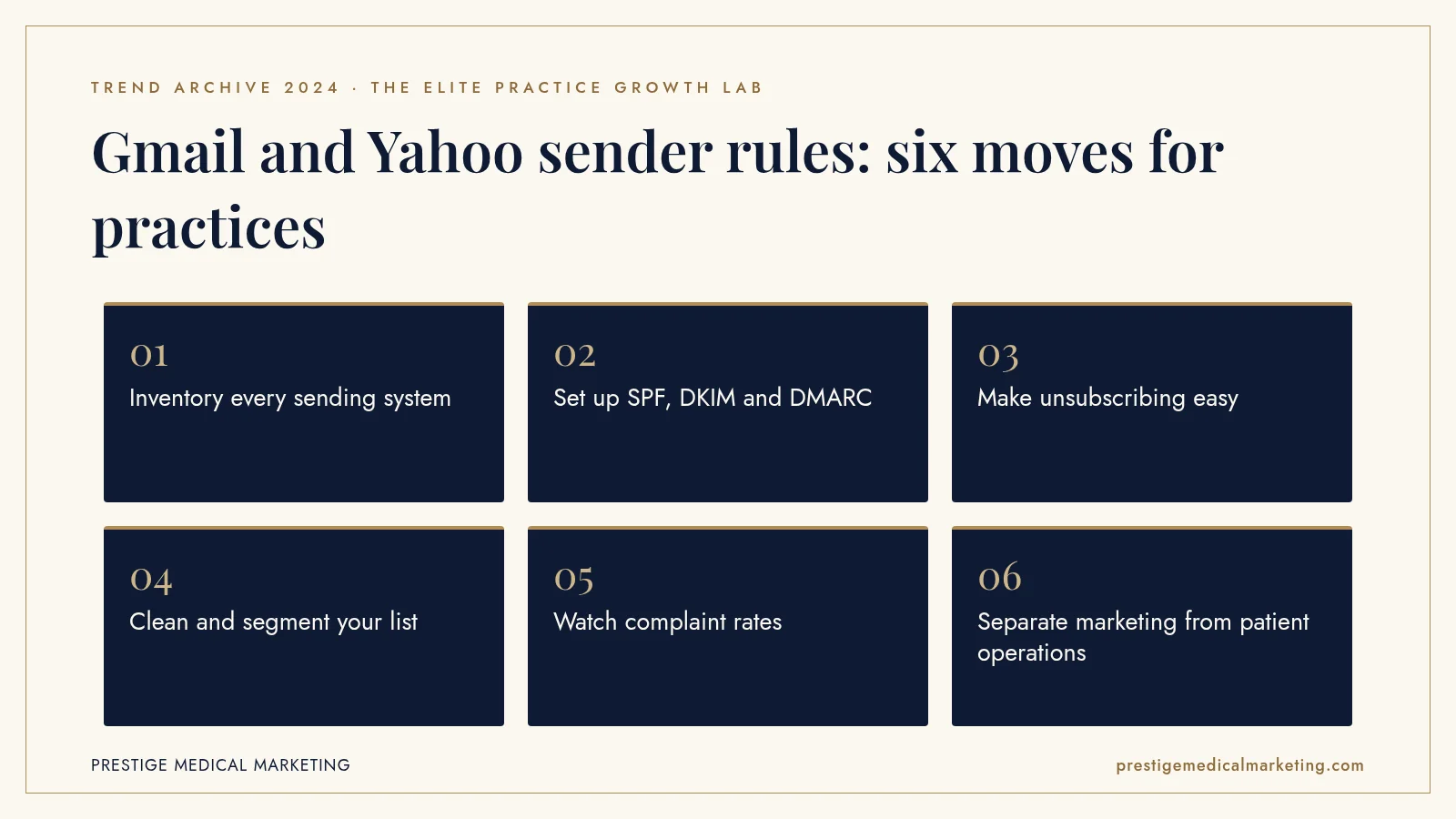
Reliable email is a system, not a campaign. Here is how we set it up.
1. Inventory every sending system
List every tool that sends email for your domain: mailbox, newsletter platform, booking system, review tool and forms. Each needs proper authentication.
2. Set up SPF, DKIM and DMARC
Authenticate every sender and publish a DMARC record. Start with monitoring and review reports to find unknown senders before tightening the policy.
3. Make unsubscribing easy
Use one-click unsubscribe for marketing messages and a visible unsubscribe link. Honor requests quickly and keep suppression lists synced across tools.
4. Clean and segment your list
Remove invalid addresses and long-inactive contacts. Send relevant messages to segments rather than everything to everyone.
5. Watch complaint rates
Set up Google Postmaster Tools and review spam rates. Rising complaints are an early warning that content or frequency needs to change.
6. Separate marketing from patient operations
Consider sending marketing email from a subdomain so reminders and essential messages are protected if a campaign performs poorly.

Why authentication matters beyond Gmail
Authentication is not only about meeting one provider’s rules. It also protects a practice’s reputation. Without DMARC, anyone can send email that appears to come from the practice’s domain. Scammers have used that weakness to send fake invoices or phishing messages to patients and vendors. A properly configured DMARC policy helps receiving systems reject those messages.
That protection matters for health care practices, where patients trust email from their providers. A fake message that appears to come from the practice can damage that trust even though the practice did nothing wrong. Authentication is a quiet but important part of protecting the practice brand.
DMARC reports also give practices visibility. They show which systems are sending email using the domain. Many practices discover forgotten tools or vendors sending on their behalf, which is useful for both security and deliverability.
List health and patient expectations
A practice’s email list is valuable only if the people on it want to hear from the practice. Patients who opted in, recently visited or engaged with past messages are likely to open new ones. Patients who were added years ago and never opened anything are more likely to ignore or mark messages as spam.
Good list health starts with consent. Add patients to marketing lists only when they have agreed to receive marketing messages, and make it easy to leave. Then send content that matches what patients signed up for: useful updates, relevant offers and practical information, at a reasonable frequency.
Segmenting helps. A patient who had one treatment may be interested in follow-up care. A long-time member may want early access to new services. A general blast to everyone is easier to send but less likely to be welcome.
Content that earns the inbox
Deliverability is partly technical and partly human. Email providers watch how recipients respond. Messages that are opened, read and kept help a sender’s reputation. Messages that are ignored or reported as spam hurt it.
For practices, the content that earns engagement tends to be helpful and specific: seasonal care tips, what to expect from a new service, provider introductions, clear offers with real value and reminders that make life easier. Overly frequent promotions and vague messages tend to be ignored. Our website efficiency guide covers how email and the website can work together.
Clinical details deserve caution. Marketing emails should not contain sensitive health information, and patient communications involving protected information should go through appropriate, secure systems.
Reminders, reviews and operations email
Practices often think of email deliverability as a marketing issue, but operational email is just as important. Appointment confirmations, reminders, intake links and review requests all depend on reaching the inbox. If marketing practices damage the domain’s reputation, those messages can suffer too.
That is why separating streams can help. Many practices send marketing from a subdomain and keep operational messages on the main domain or through a dedicated system. Each stream is authenticated, monitored and managed according to its purpose. If a marketing campaign triggers complaints, patient reminders are less likely to be affected.
It is also worth checking reminder performance directly. If no-show rates rise without explanation, confirm that reminder emails are being delivered and opened.
Who owns email in the practice
One reason practices fell behind in 2024 was that nobody clearly owned email. The office manager managed the mailbox, a vendor handled reminders, an agency sent newsletters and an IT contact controlled the domain. When requirements changed, each assumed someone else would handle it.
Assigning ownership solves this. One person or partner should maintain the list of sending systems, the domain records and the monitoring tools, and coordinate when something changes. That role does not need to be technical, but it needs to be clear. A short quarterly check of authentication, complaint rates and list size keeps problems from piling up.
Text messages follow similar logic
The same principles apply to text messaging. Mobile carriers and messaging providers have their own registration and consent rules for business texts, and messages from unregistered or poorly managed senders can be filtered. Consent, clear opt-out instructions, relevant content and reasonable frequency protect both deliverability and patient trust. Practices that built good email habits in 2024 found it easier to apply the same discipline to texting.
A simple deliverability checklist
For practices that want a quick starting point, a short checklist covers most of the risk. Confirm that SPF, DKIM and DMARC records exist and pass for every system that sends on your behalf. Confirm that marketing messages include one-click unsubscribe and a visible unsubscribe link, and that unsubscribes sync across every tool. Confirm that Google Postmaster Tools is set up and that someone reviews it monthly. Confirm that the list includes only people who agreed to hear from the practice, and that inactive contacts are reviewed regularly.
Then test. Send campaigns and reminders to a few personal Gmail and Yahoo addresses and check where they land. If they go to spam or promotions unexpectedly, investigate before the next send. These checks take little time and catch most problems early, before they affect patients or revenue.
What 2024 does not tell us
Google and Yahoo did not publish data on how many senders were affected or how much mail was filtered as a result. We do not have reliable data on how practices specifically were affected. Requirements and thresholds can change, so check current sender guidelines. What 2024 does show is that email providers expect senders to prove who they are, make unsubscribing easy and send mail people want.
The premium practice advantage
A premium practice communicates reliably. Reminders arrive, offers reach the right patients and nobody receives messages they did not ask for. That reliability is part of the patient experience.
That is how we build growth systems: authenticated email, clean lists and patient communication connected to booking, alongside Google Maps and AI search visibility and a practice operating system that ties it together. See our services and who we help. Our team works from Austin with practices nationwide.
The bottom line
In 2024, Gmail and Yahoo began enforcing new rules for bulk senders: authenticate with SPF, DKIM and DMARC, make unsubscribing easy and keep complaint rates low. For practices, the fix was mostly technical and organizational. Practices that set it up properly protected both their marketing and their patient communications.
Check if your market is open. We take one practice per specialty per market. Request a market check or call (716) 400-0084.
Frequently asked questions
What changed for email senders in 2024?
Google and Yahoo began enforcing stricter requirements for bulk senders in February 2024. The rules focused on email authentication, easy unsubscribes and low spam complaint rates.
Who counts as a bulk sender?
Google defines bulk senders as those sending close to or more than 5,000 messages a day to personal Gmail accounts. Even smaller senders must meet basic requirements such as SPF or DKIM authentication.
What is SPF, DKIM and DMARC?
They are email authentication standards. SPF lists which servers may send email for your domain, DKIM adds a digital signature, and DMARC tells receiving servers how to handle messages that fail checks and lets you get reports.
What is one-click unsubscribe?
It lets recipients unsubscribe from marketing messages with a single click, often through a link shown by the email provider. Google required bulk senders to support it for marketing messages, with a June 1, 2024 deadline for the full requirement.
What spam rate is acceptable?
Google's guidelines say senders should keep spam rates reported in Postmaster Tools below 0.1% and never reach 0.3% or higher.
Do appointment reminders have to follow these rules?
Authentication applies to all mail from your domain. One-click unsubscribe applies to marketing messages. Practices should check with their email and scheduling vendors to confirm their setup.