
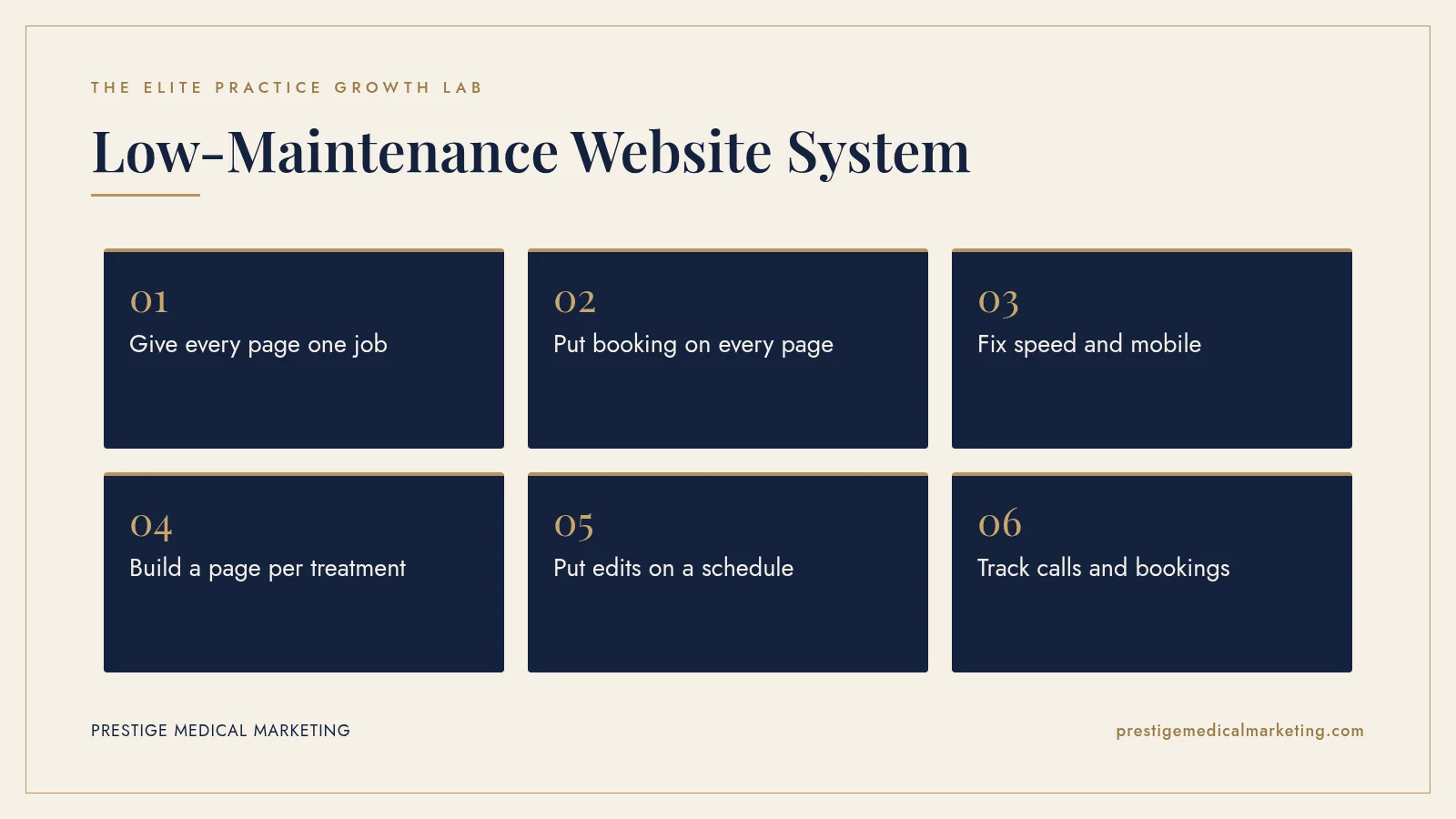
A practice website should run with almost no time from the owner. It needs a clear booking path on every page, fast mobile load times, a page for each treatment and a partner who handles edits as part of the plan. If every small change needs a ticket and a quote, the site is costing you patients.
Most practice owners have lived this: you paid for a new website, it looked great at launch, and then every small change became a project. Update a price? Ticket. Add a provider? Quote. New treatment page? Two weeks.
Meanwhile, the site quietly drifts out of date, and patients notice.
Where practice websites go wrong, and how we do it instead
They bill per edit. We include edits.
Per-change billing trains you to stop asking. The site drifts, and patients see last year’s prices and providers. We include edits in the plan, so updates happen when they should.
They build for awards. We build for bookings.
Autoplay video, heavy animation and clever navigation look impressive in a pitch and slow patients down on a phone. We design for a clear path from search to booked appointment.
They hand over the keys and disappear. We stay accountable.
A launch is the start. We monitor speed, uptime and conversions and fix problems before you notice them.
They hide results. We report them.
Our monthly ROI reporting shows calls, forms and booked patients from your website every month, on month-to-month terms.

Check if your market is open. We partner with one practice per specialty per market. Request a market check or call (716) 400-0084.
The hidden cost of a “finished” website
A website isn’t a brochure you print once. Your treatments, team, offers and competitors change constantly. When the site can’t keep up, three things happen: patients see outdated information, Google sees a stale site, and you spend your own time chasing changes.
None of that shows up on an invoice, but it costs you every month.
What a low-maintenance, high-converting site looks like
- One clear job per page: every page leads to a call or a booking.
- Click-to-call everywhere: especially on mobile, where most local patients search.
- Fast: pages that load quickly on a phone, with properly sized images.
- Built for search and AI: clear answers to common questions so Google and AI assistants can understand and recommend you.
- Easy to change: updates happen in hours, not weeks.
Put edits on autopilot
The simplest fix is structural: work with a partner where edits are included, not billed one by one. At Prestige, our plans include unlimited edits, so “can you update this?” gets done instead of quoted. You send a note; we handle it.
That’s part of our custom website service, alongside search visibility and follow-up systems.
Make every page earn its place
Look at your top ten pages and ask one question of each: what should a patient do next? If the answer isn’t obvious within a few seconds, add a clear headline, a booking button and a phone number near the top, and again further down.
Then add trust right next to that action: credentials, real reviews, real photos of your space. Patients hesitate at the moment of decision. That’s where reassurance helps most.
Fix speed and mobile first
Local patients search on their phones, often between other things. Heavy images, pop-ups and slow scripts lose them. Compress and properly size images, remove plugins you don’t use, and test your key pages on a real phone on cellular data.
Google’s free PageSpeed Insights tool scores any page and lists what is slowing it down. Google’s Core Web Vitals guidance explains the loading, responsiveness and visual stability measures it uses. Run your homepage and top treatment pages through it once a quarter.
Know what the site produces
You shouldn’t need to log into analytics to know if your website works. Track calls and form submissions by source, and review the one number that matters: new-patient revenue compared with what you spend. That’s how you decide what to improve next. A fast site still loses patients if nobody answers, so pair this with our guide to what missed calls really cost.
A 30-minute website health check
Pull up your site on your phone and walk through it like a new patient:
- Above the fold: can you tell who the practice helps and how to book within five seconds?
- Phone number: is it tappable on every page?
- Treatment pages: does each high-value service have its own page with clear next steps?
- Trust: are credentials, reviews and real photos near the booking buttons?
- Forms: are they short? Ask only for what you need to follow up.
- Speed: does the page load quickly on cellular data?
- Accuracy: are prices, providers, hours and offers up to date?
Anything that fails this check is a quick win. Fix the top three first, then measure whether calls and bookings improve.
Treatment pages that do the selling for you
Your homepage introduces the practice. Your treatment pages book the patients. Every high-value service deserves its own page, written for the patient deciding right now. Each one should cover:
- Who it is for: the concerns and goals the treatment addresses.
- What to expect: the consult, the appointment, downtime and when results show.
- Who performs it: provider names, credentials and experience.
- Cost guidance: a starting price or range, or a clear explanation of how pricing works.
- Real proof: reviews and before-and-after photos you have written consent to use.
- A short FAQ: the questions your front desk answers every day.
- One clear next step: a booking button and a tappable phone number.
These pages also help search. Google and AI assistants answer patient questions using pages that answer them clearly. Our guide to Google Ask Maps explains why detail now matters more than ever, and our med spa SEO guide shows how treatment pages fit a full search plan.
Booking and forms that patients finish
Every extra field and every extra click loses someone. Keep contact forms to name, phone, email, the treatment they are interested in and a preferred time. Save the medical history for intake. If you offer online booking, put it on every page and make sure the booking tool shows real availability and works smoothly on a phone. Send an instant confirmation by text or email so the patient knows the request landed, and have your team follow up within minutes during business hours. A form that sits unanswered until tomorrow often becomes a patient who booked somewhere else tonight.
Photos that build trust
Patients want to see where they will be treated and who will treat them. Replace generic imagery with professional photos of your entrance, reception, treatment rooms and team. Compress every image before upload, size it for the space it fills and write descriptive alt text. Real, polished photos make the practice feel familiar before the first visit and keep pages fast.
Content you can update without a developer
Some updates should take minutes: hours, holiday closures, a new provider, a seasonal offer, a price change. Set up your site so these live in one place and update everywhere. A provider bio should update on every page that shows it. Hours should update in the footer and on the contact page at once. When the structure is right, staying accurate is easy.
Security, backups and uptime
A low-maintenance site still needs maintenance; it just should not need yours. Keep software and plugins updated, run automatic daily backups stored off the server, use strong passwords and two-factor sign-in for every account and monitor uptime so you know within minutes if the site goes down. Use secure HTTPS on every page. If your forms collect health information, make sure they are handled in line with HIPAA, with a signed business associate agreement where required.
Accessibility is part of conversion
Patients with low vision, limited mobility or hearing loss book appointments too. Readable text sizes, strong color contrast, descriptive image alt text, labeled form fields and a site that works with a keyboard make the site easier for everyone. The Web Content Accessibility Guidelines are the standard most practices follow.
A monthly website routine that takes minutes
- Confirm hours, providers, prices and offers are current.
- Review calls, forms and bookings from the site, by page.
- Check your top pages for speed on a phone.
- Send your partner a list of changes, and confirm they are done.
- Pick one page to improve next month.
When to rebuild instead of repair
Repair when the site is fundamentally sound and just needs clearer calls to action, faster images and better treatment pages. Rebuild when the platform is outdated, the site cannot be edited without breaking, every page is slow or the design no longer fits the practice you have become. A good partner will tell you honestly which path is faster.
The bottom line
Your time is best spent with patients, not managing web tickets. A site with clear calls to action, fast pages and included edits keeps converting with almost no effort from you.
Curious what your site is leaving on the table? Check if your market is open or call (716) 400-0084, and we’ll point out the quickest wins. We’re based in Austin, Texas, and work with practices nationwide. Or see how this works for med spas and longevity clinics.
Put this playbook to work: see how it applies to a medical practice website that converts.
Frequently asked questions
How often should a medical practice update its website?
Whenever something changes for patients (new treatments, providers, pricing or offers), plus a regular review of your top pages. Small, frequent updates beat a big redesign every few years.
What makes a practice website convert?
A clear headline about who you help, a visible phone number and booking button, trust signals (credentials, reviews, real photos), fast load times on mobile, and one obvious next step on every page.
Should I pay per website edit?
Per-edit billing discourages the small updates that keep a site accurate. Prestige plans include unlimited edits, so changes happen without a quote.
Do I need a new website to improve results?
Not always. Many sites improve quickly with clearer calls to action, faster pages and better service pages. Sometimes a rebuild is the faster path, and a good partner will tell you which.
How fast should a medical practice website load?
Aim for your main content to appear within about 2.5 seconds on a phone, which is Google's good threshold for Largest Contentful Paint. Test with PageSpeed Insights.
Do treatment pages help with SEO?
Yes. A dedicated page for each treatment gives Google and AI assistants clear content to match to patient searches and gives patients the answers they need to book.
Is my practice website required to be accessible?
Accessibility rules depend on your practice and location, so check with your attorney. Following WCAG guidelines is the widely used standard and improves the experience for every patient.