
On March 12, 2024, Interaction to Next Paint (INP) officially replaced First Input Delay (FID) as a Core Web Vital. FID only measured the delay before the browser began handling a visitor's first interaction. INP looks at the responsiveness of interactions throughout a visit, up to when the screen visibly updates. A good INP is 200 milliseconds or less. For practices, it put a spotlight on slow menus, booking widgets and form scripts.
Most practice owners have never heard of Interaction to Next Paint. They have, however, watched a patient on a phone tap a menu that did not open, tap a booking button that seemed to do nothing, or fill out half a form before the page froze. That experience got a formal name in Google’s measurements in 2024.
On March 12, 2024, Google made INP one of its Core Web Vitals, replacing an older metric called First Input Delay. It sounds like a technical footnote. For practice websites loaded with booking tools, chat widgets and tracking scripts, it was a wake-up call about something patients had been feeling for years.
This retrospective covers what changed, why it matters and what a practice website should look like now.
What actually happened in 2024
The swap. Google’s web.dev team announced that INP became a stable Core Web Vital on March 12, 2024, officially replacing FID. FID was removed from Search Console reports on that date, and Google said tools had until September 9, 2024 to finish the transition.
The long runway. INP was not a surprise. Google first introduced it as an experimental metric in May 2022, and in 2023 confirmed it would replace FID in March 2024, as the launch announcement recounts. Developers had nearly two years of notice.
What it measures. Google’s INP documentation explains that the metric observes the latency of clicks, taps and keyboard interactions during a page visit, through to when the next frame is painted. The value reported is typically the slowest interaction, ignoring outliers on pages with many interactions.
The thresholds. An INP of 200 milliseconds or less is good. Between 200 and 500 milliseconds needs improvement. Above 500 milliseconds is poor. Google recommends measuring at the 75th percentile of real page loads, segmented by mobile and desktop.
Why FID was too easy and INP is not
FID measured only one thing: the delay between a visitor’s first interaction and the moment the browser could start processing it. It ignored how long the processing took, ignored how long it took to show a result, and ignored every interaction after the first. Many websites passed FID easily while still feeling sluggish.
INP closes those gaps. It covers the whole path from tap to visible response, and it watches interactions throughout the visit. If the first tap is fast but the booking calendar takes a second to respond when a patient picks a date, INP sees that. FID did not.
That is why many sites that looked fine under FID suddenly showed problems after March 2024. Nothing about the sites had changed. The measurement had simply started paying attention to the moments patients actually notice.
Why practice websites are especially exposed
Practice websites tend to accumulate scripts. A chat widget from one vendor. A review carousel from another. A booking embed. A financing calculator. Analytics, ad tags and call tracking. A pop-up for a promotion. Each one adds code that can run when a patient taps something.
Many practice sites are also built on heavy page builders and themes that load far more code than the page needs. On a fast office computer, it may feel fine. On a mid-range phone over cellular data, which is how many patients actually browse, the same page can respond slowly to every tap.
The interactions that matter most on a practice site are exactly the ones INP measures: opening the menu, tapping call, choosing a service, picking a time, submitting a form. When those feel slow, patients do not file a bug report. They leave and try the next practice.
What typical agencies did
Many agencies treated INP the way they had treated FID: as a score to report rather than an experience to fix. Some ran a speed plugin, compressed a few images and declared victory, even though image size has little to do with how fast a page responds to a tap.
Others kept adding tools. A new chat vendor, a new review widget, a new tracking pixel, each pitched as a conversion booster. Every addition made the site heavier and more likely to respond slowly. Few agencies ever asked whether a script was worth the cost in responsiveness.
And because INP comes from real visitor data, many small practice sites did not have enough traffic to show a field score at all. Some agencies took that as permission to ignore it. The patients using the site were still experiencing it.
What it means for a practice today
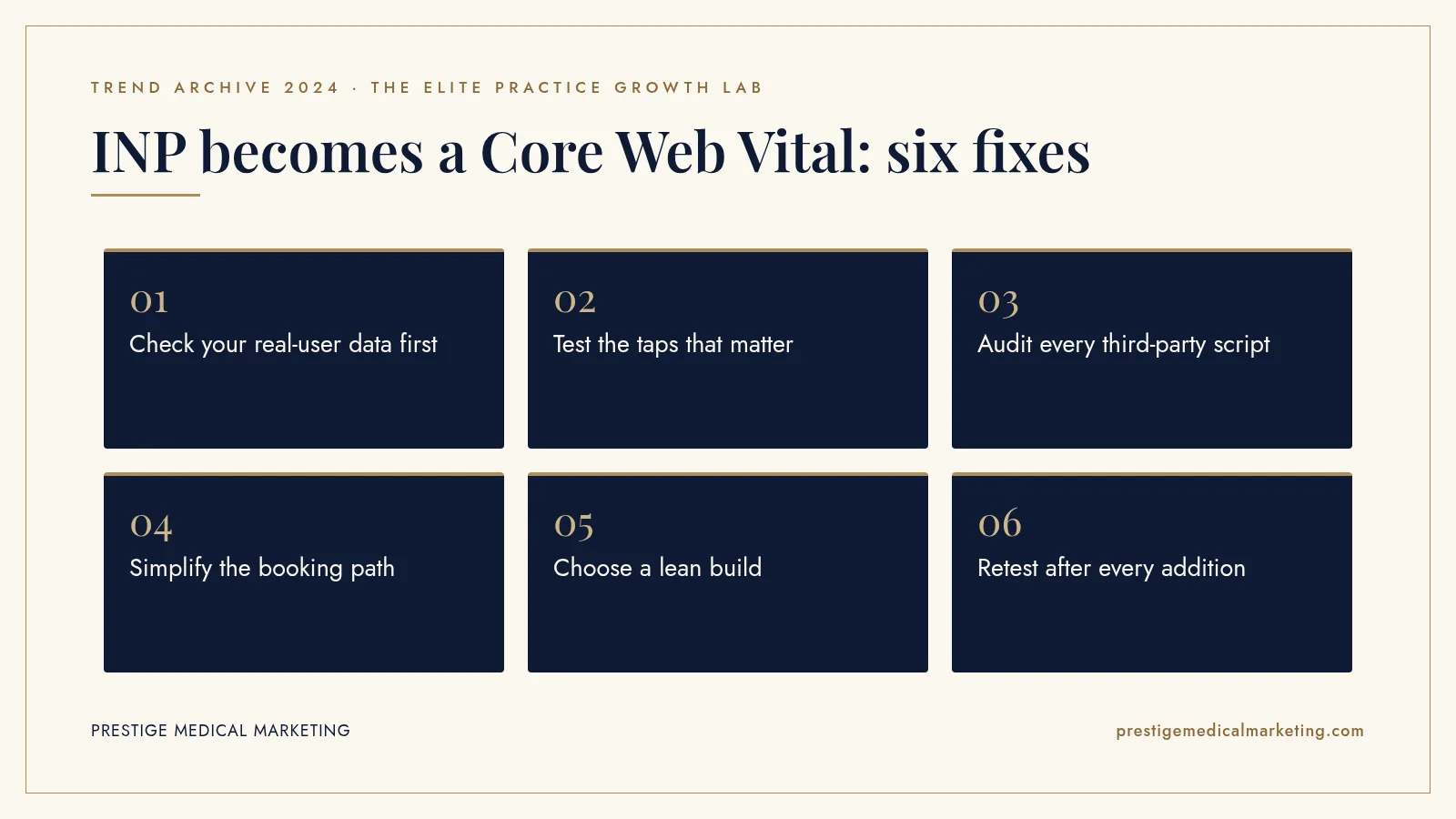
INP is best understood as a patient experience standard with an SEO side benefit. Here is how we approach it.
1. Check your real-user data first
Search Console’s Core Web Vitals report and PageSpeed Insights show field data when your site has enough visits. Look at mobile first, since that is where most problems appear.
2. Test the taps that matter
On a mid-range phone, open the menu, tap the call button, start the booking flow and submit the contact form. If anything hesitates, that is your priority list.
3. Audit every third-party script
List each widget and tag, what it does and who uses its data. Remove tools nobody checks. Load the rest after the page is usable where possible.
4. Simplify the booking path
A clean booking flow with as few steps and scripts as possible usually beats a heavy embedded widget. See our booking engine approach.
5. Choose a lean build
Themes and page builders that load everything on every page make responsiveness hard. A purpose-built site loads only what each page needs. That is the idea behind a medical practice website that converts.
6. Retest after every addition
Make performance a gate. Before adding any new tool, measure the key interactions, add it, and measure again.

Speed is a conversion issue first
It is tempting to frame INP as an SEO metric because Google created it. But the practical cost of a slow site shows up in your phone log and booking calendar long before it shows up in rankings.
Think about the patient who has narrowed their choice to two or three practices and is ready to act. They tap call or book on each site. The one that responds instantly feels professional and ready. The one that hesitates feels uncertain. Nobody consciously thinks about milliseconds, but everybody feels them.
That is why we connect site performance to lead leakage. Every lost tap is a lost opportunity, just like an unanswered call. A practice that fixes responsiveness is not chasing a score. It is removing friction at the moment a patient is ready to say yes.
A simple INP checklist for practice owners
You do not need to understand JavaScript to hold your website to a higher standard. These questions are enough to start a productive conversation with whoever manages your site.
Do we have field data? Ask whether Search Console shows Core Web Vitals for mobile, and what the INP status is. If there is not enough data, ask how the team tests responsiveness instead.
Which scripts run on our pages? Ask for a list of every third-party tool on the site, what it does, what it costs and who looks at its data. The answers are often surprising.
What happens when a patient taps book? Ask the team to walk you through the booking path on a phone, step by step, and to show you where the delays are.
What is our rule for new tools? A good partner measures before and after adding anything. If nobody can say what a new widget did to responsiveness, nobody is watching.
When was the site built? Older themes and builders often carry years of accumulated code. Sometimes the most cost-effective fix is a lean rebuild rather than endless patching.
Where responsiveness problems hide on a practice site
Slow interactions rarely live where people expect. Practice owners often assume large photos are the problem, but photos mostly affect how quickly a page loads, not how quickly it responds to a tap. Responsiveness problems usually hide in code that runs after the page appears.
The mobile menu. On many themes, opening the menu triggers animations and scripts that were never tuned for phones. It is often the first tap a patient makes, and the first impression of whether the site works.
Booking and scheduling embeds. Third-party calendars can load a lot of code inside your page. Choosing a date or a service can trigger heavy work that delays the visible response.
Chat and review widgets. These tools often listen to every click on the page so they can open, track or display something. That listening has a cost on every interaction, not only when the widget itself is used.
Forms with live validation. Forms that check each field as the patient types, or that load several tracking tools when submitted, can feel sticky on slower phones.
Pop-ups and promotions. A pop-up that appears after a tap, or that runs code on scroll, can compete with the action the patient was actually trying to take.
Before-and-after sliders and galleries. Interactive galleries are valuable on aesthetic and surgical sites, but poorly built ones can respond slowly to swipes and taps. A simpler gallery that responds instantly usually serves patients better.
The fix in each case is the same mindset: keep what clearly helps patients, make it light, and remove what nobody would miss.
What 2024 does not tell us
Google has not said how much weight Core Web Vitals carry in rankings compared with relevance and content quality, and it has consistently said great content can still rank with imperfect page experience. We do not have reliable public data on how many medical practice websites fail INP, and many small sites lack enough traffic to produce field data at all. What 2024 does show is that Google now measures the moments patients actually feel, and that its standard for responsiveness became stricter.
The premium practice advantage
A premium practice invests in a polished patient experience in the office. The website is the first part of that experience. When it responds instantly, it signals the same care a patient will find at the front desk.
Most competitors will keep piling widgets onto slow themes. A practice with a lean, fast site that makes calling and booking effortless has an advantage that patients feel immediately. See our services and who we help, and how speed supports Google Maps and AI search visibility. Our team works from Austin with practices nationwide.
The bottom line
In March 2024, Google replaced a lenient speed metric with one that measures how fast a site responds to every tap. For practice websites full of scripts and widgets, INP put a number on the friction patients had been feeling all along. Fix the taps that lead to calls and bookings, and both patients and search engines notice.
Check if your market is open. We take one practice per specialty per market. Request a market check or call (716) 400-0084.
Frequently asked questions
When did INP replace FID?
Google's web.dev team announced that INP became a Core Web Vital on March 12, 2024, replacing FID. Search Console stopped showing FID that day, and Google gave tools until September 9, 2024 to complete the transition.
What does INP measure?
INP observes the latency of clicks, taps and keyboard interactions during a visit, from the interaction until the next frame is painted on screen. The reported value reflects one of the slowest interactions, so a single sluggish menu or form can define the score.
What is a good INP score?
Google's guidance says 200 milliseconds or less is good, between 200 and 500 milliseconds needs improvement, and above 500 milliseconds is poor. Google recommends looking at the 75th percentile of real visits, split by mobile and desktop.
Why is INP harder to pass than FID?
FID only measured the delay before the browser started processing the first interaction. INP covers the full time to a visible response and considers interactions throughout the visit, so heavy scripts that run on later taps now count.
Does INP affect Google rankings?
Core Web Vitals are part of Google's page experience signals. Google has said good page experience aligns with what its ranking systems reward, but relevance and helpful content matter more. Treat INP primarily as a patient experience and conversion issue.
What usually causes poor INP on practice websites?
Common causes include heavy page builders, multiple third-party scripts such as chat, review and tracking widgets, large booking embeds, and pop-ups that run code on every tap. Reducing and deferring scripts usually helps most.