
On July 1, 2025, Cloudflare, which says it helps manage traffic for about 20% of the web, announced it would block AI crawlers from accessing content without permission by default and let site owners choose which crawlers to allow. Private practices generally want to be found in AI answers, so they should check their Cloudflare, firewall and robots.txt settings. Crawlers used for AI search, such as OpenAI's OAI-SearchBot, are separate from crawlers used for model training, such as GPTBot, and can be managed independently.
More patients now ask AI assistants for recommendations before they search Google. “Who’s the best med spa for natural-looking results near me?” “Which longevity clinics in my area offer comprehensive testing?” The answers come from AI systems that read the web.
In 2025, a big change happened in how the web lets those systems in. On July 1, Cloudflare announced it would block AI crawlers by default unless site owners chose otherwise. The debate was mostly about publishers and payment. But for private practices, it raised a practical question: is your website letting the right AI systems read it?
This retrospective explains what happened, why it matters and how to make sure your practice is visible where patients are asking.
What actually happened in 2025
The announcement. In a July 1, 2025 press release, Cloudflare said it was the first internet infrastructure provider to block AI crawlers accessing content without permission or compensation by default. Website owners can choose whether AI crawlers access their content and decide how AI companies can use it. AI companies can state whether their crawlers are used for training, inference or search. Cloudflare said it helps manage and protect traffic for 20% of the web.
Pay per crawl. The same day, Cloudflare introduced pay per crawl, a feature to let content owners charge AI crawlers for access. Its accompanying post framed the change as a response to AI systems that answer questions without sending visitors to the original source.
The broader context. The shift came as AI search grew fast. Google launched AI Mode in the US in May 2025, and ChatGPT reached hundreds of millions of weekly users. Our retrospectives on AI Mode and ChatGPT’s growth cover those changes.
Why this mattered for private practices
Publishers and practices are in very different positions. A news site’s content is its product, and AI answers can replace visits to it. A practice’s website is a storefront. Its content exists to help patients choose the practice and book. If an AI assistant reads your site and recommends you, that is exactly the outcome you want.
So the default that protects publishers may not suit practices. A practice that uses Cloudflare, or a host or security tool with similar AI blocking, could be keeping AI search crawlers away without realizing it. The result: when patients ask an AI assistant for recommendations, the assistant has less accurate, current information about the practice, or none from its own website.
We are not saying any particular practice was affected. Settings depend on each site’s configuration, plan and choices. The point is that most owners never looked.
Training crawlers vs. search crawlers
The most useful thing to understand is that AI companies use different crawlers for different purposes, and you can treat them differently.
OpenAI’s crawler documentation explains that OAI-SearchBot is used to surface websites in ChatGPT’s search features, and that sites opted out of it will not be shown in ChatGPT search answers, though they can still appear as navigational links. GPTBot, by contrast, crawls content that may be used to train OpenAI’s foundation models. Each setting is independent, so a site can allow OAI-SearchBot to appear in search results while disallowing GPTBot.
Google works similarly. Its documentation on common crawlers describes Google-Extended as a standalone control for whether content may be used for certain Gemini training and grounding purposes, and says it has no effect on Google Search.
For most practices, a sensible starting point is to allow AI search crawlers so patients can find you, and make a deliberate choice about training crawlers. That is a decision for you and your team, not a default someone else made.
What typical agencies did
Most agencies did nothing, because they never checked. Website security settings are often handled by a host or a developer, and marketing teams rarely look at robots.txt or firewall rules. Some agencies, hearing that AI crawlers were “scraping content,” blocked them all without considering what that meant for visibility.
Other agencies sold “AI optimization” packages without checking whether AI systems could reach the site at all. Optimizing content that AI search cannot read is wasted effort.
We check access first. Our maps and AI search service starts with confirming that the systems patients use can actually read your site, your profile and your reviews. Then we work on what they find.
What it means for a practice today
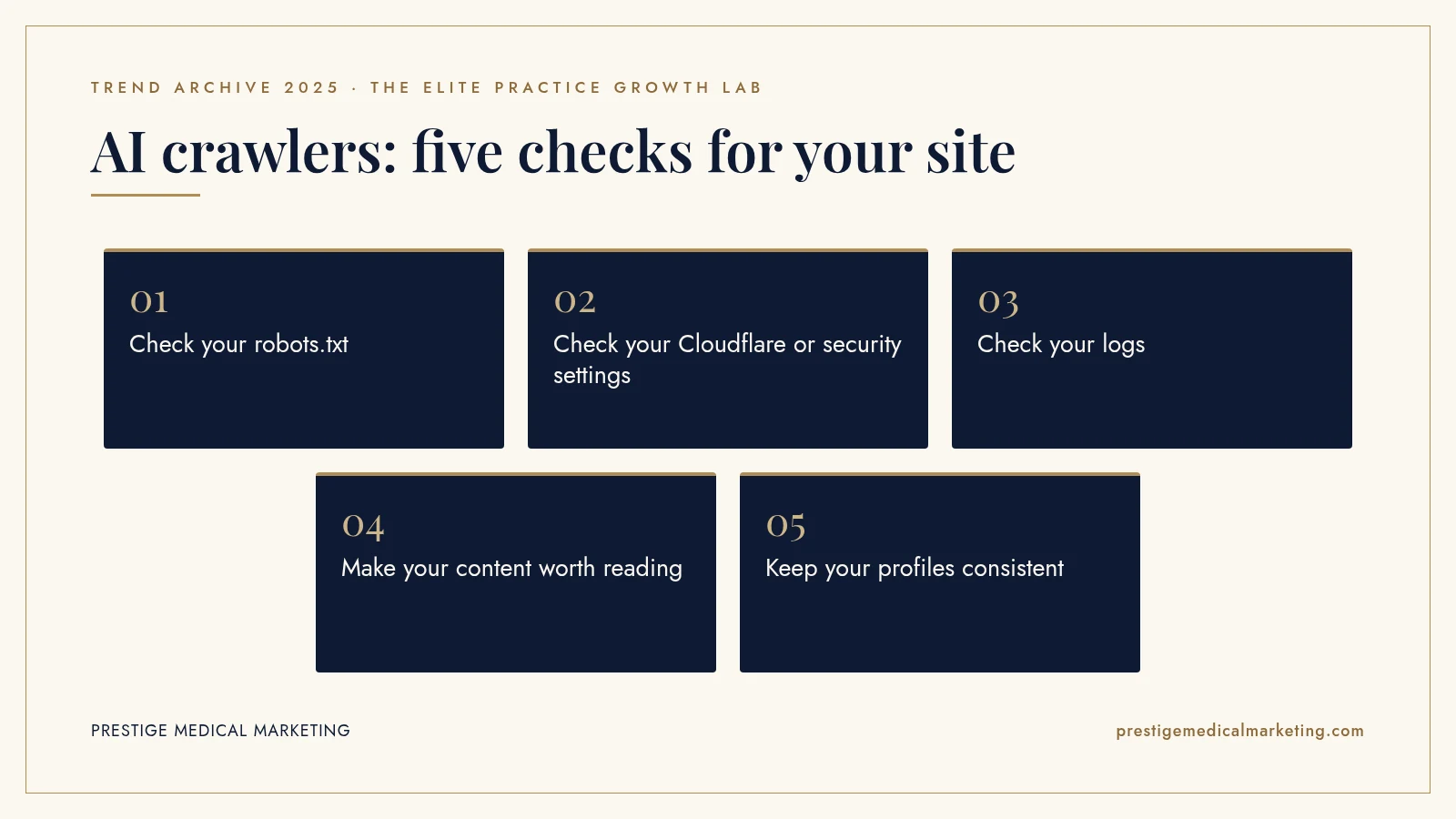
1. Check your robots.txt
Visit yoursite.com/robots.txt. Look for rules naming AI crawlers, such as GPTBot, OAI-SearchBot, PerplexityBot, ClaudeBot or Google-Extended, and any broad rules that block all bots. Make sure the rules match what you actually want.
2. Check your Cloudflare or security settings
If your site uses Cloudflare, check its AI crawler and bot management settings. If you use another security service, ask whether it blocks AI crawlers and how to adjust that. Your web team should be able to show you exactly what is allowed.
3. Check your logs
Server or CDN logs show which crawlers visit your site and whether they are blocked. A quick review can reveal whether AI search crawlers are reaching your pages.
4. Make your content worth reading
Access is the first step. AI systems also need clear, accurate content to recommend you: specific service pages, provider bios with credentials, locations, hours, pricing guidance where appropriate and honest answers to common questions. Our guide on getting recommended by AI covers what helps.
5. Keep your profiles consistent
AI assistants also draw on business listings and reviews. Make sure your Google Business Profile, other directories and your website all show the same name, address, phone number, hours and services. Our Google Business Profile guide explains how.

Structured information helps
AI systems read pages more reliably when information is well organized. Clear headings, short direct answers to common questions, structured data for your business and services and consistent naming across pages all help. A page that answers “What does a first visit cost?” or “How long do results last?” directly, honestly and in plain language is more useful to patients and to the systems that summarize information for them.
This is not about tricks. It is the same principle behind good websites for years: make it easy to find accurate answers. Our custom practice websites are built that way from the start.
A note on privacy and sensitive pages
Allowing AI search crawlers on public pages is different from exposing private information. Crawlers should never have access to patient portals, intake forms or any page containing patient data, and those pages should be protected by authentication regardless of crawler rules. Our retrospective on tracking and health privacy in 2025 covers what to protect.
Which practices this matters most for
Every practice benefits from AI visibility, but some categories see more research-heavy patients. Med spas, plastic surgery, dermatology, longevity, weight loss, men’s health and functional medicine patients often compare options, read about providers and ask detailed questions before booking. Those are exactly the questions people bring to AI assistants. If your practice serves patients like that, checking crawler access should be near the top of your list.
A quick access checklist
Here is a short checklist you can hand to whoever manages your website. Confirm that robots.txt allows the AI search crawlers you want, including OAI-SearchBot. Decide deliberately whether to allow training crawlers such as GPTBot and Google-Extended, and document the choice. Check the CDN or firewall for AI bot blocking and adjust it to match. Confirm that key pages load quickly without requiring scripts to show their main content. Confirm patient portals and forms are behind authentication and excluded from crawling. Review the settings again after any change of host, security vendor or website platform.
Most of these checks take minutes. Skipping them can mean months of invisibility in a channel patients increasingly use.
How AI answers actually find a practice
It helps to picture what happens when a patient asks an assistant for a recommendation. The system interprets the question, looks for relevant sources, which can include its search index, business listings, review sites and practice websites, and then writes an answer that may name a few options and link to sources. If your website is readable, it can supply the details that make you a strong match: the exact treatments you offer, who provides them, where you are and what the experience is like.
If your website is blocked, the assistant has to rely on what others say about you, which may be outdated, incomplete or simply absent. A competitor with a readable, detailed site has an advantage in that moment, even if your practice is better.
That is why access and content work together. One without the other leaves results to chance. And because these systems change quickly, the practices that do well are the ones that check regularly rather than once.
Who should own this in your practice
Crawler access sits between marketing and IT, which is why it often falls through the cracks. Assign one person, internal or external, to own it. Their job is to know what the robots.txt file says, what the security settings allow, who can change them and when they were last reviewed. Ask for a short written summary once a quarter. It is a small habit that protects a growing source of new patients. When you change web developers, hosts or security vendors, make crawler settings part of the handover, because those transitions are exactly when defaults quietly change.
What 2025 does not tell us
We do not have reliable public data on how many practice websites block AI search crawlers, intentionally or not, or how much that affects patient acquisition. AI assistants also use sources beyond a practice’s own website, such as listings, reviews and other sites, so blocking crawlers does not necessarily remove a practice from every answer. Crawler names, policies and Cloudflare’s features may have changed since 2025. Check current documentation before making changes.
The premium practice advantage
Typical practices leave crawler access to chance. Premium practices make a deliberate choice: be readable by the systems patients use, protect what should be private and present accurate, specific information that makes the practice easy to recommend. That combination is how a practice earns a place in AI answers rather than hoping for it.
That is how we approach AI visibility for practices across every specialty we serve, from med spas to longevity clinics. Our team works from Austin with practices nationwide.
The bottom line
Cloudflare’s July 1, 2025 move to block AI crawlers by default was aimed at protecting publishers. For practices, it was a reminder to check whether AI search systems can read their websites. Allow the crawlers that help patients find you, decide deliberately about training crawlers, protect private pages and give AI systems clear, accurate information to work with.
Check if your market is open. We take one practice per specialty per market. Request a market check or call (716) 400-0084.
Frequently asked questions
What did Cloudflare change in July 2025?
On July 1, 2025, Cloudflare announced it was the first internet infrastructure provider to block AI crawlers accessing content without permission or compensation by default. Website owners can choose whether AI crawlers access their content, and AI companies can state whether their crawlers are used for training, inference or search.
Could my practice website be blocking AI search?
Possibly. Cloudflare settings, other firewall or security tools and robots.txt rules can all block AI crawlers. Check your hosting and security settings and your robots.txt file to see which crawlers are allowed.
What is the difference between GPTBot and OAI-SearchBot?
According to OpenAI, OAI-SearchBot is used to surface websites in ChatGPT's search features, while GPTBot crawls content that may be used to train its generative AI foundation models. Each can be allowed or disallowed independently in robots.txt.
Does blocking Google-Extended remove my site from Google Search?
No. Google's documentation says Google-Extended is a separate control for whether content may be used for certain Gemini training and grounding purposes, and that it has no effect on Google Search.
Should a practice block AI training crawlers?
It is a business choice. Some owners prefer not to have their content used for training. What matters most for patient acquisition is allowing the crawlers that power AI search answers, so your practice can be cited and recommended.
How do I check what my website allows?
Visit yoursite.com/robots.txt to see the rules, check your Cloudflare or security dashboard for AI crawler settings and ask your web team to review server logs for blocked AI crawler requests.